
CREATE NEW PROJECTILE #
First, create a new projectile. Right-click in the content browser and in the context menu, go to Impact Designer and select Impact Projectile. Then name this new asset as you wish. For the example, I’ve called mine BP_PlayerProjectile.


You can then set the parameters of the projectile and its component (Impact Projectile Movement). If you don’t want to bother for the moment, you can leave the default values. Don’t forget to select the impact context you wish to use for your projectile.
CREATE NEW WEAPON #
For this example, we’ll create an assault rifle. First, create a new blueprint of the Impact Ranged Weapon type. Define its characteristics, such as firing range, rate of fire, available firing modes, etc. You can enable visual effects like muzzle flash or shell ejection. Finally, you can add features to your weapon, such as overheating or jamming, by adding one of the available weapon subsystems.
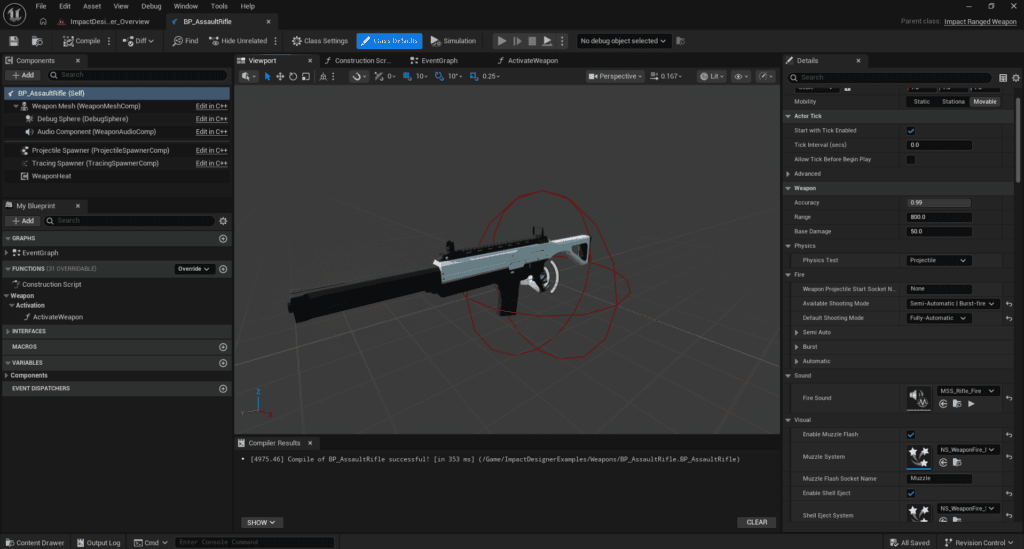
In the projectile spawner, specify the projectile class to use. You can also define the projectile’s position upon instantiation.
Note: The Projectile Spawner class uses a pooling system to optimize performance. More details here.


