
For a melee weapon, you can configure when collision detection is triggered using an Anim Notify. To do this, you must add a Notify State to your animation sequence and specify when collision detection should occur.
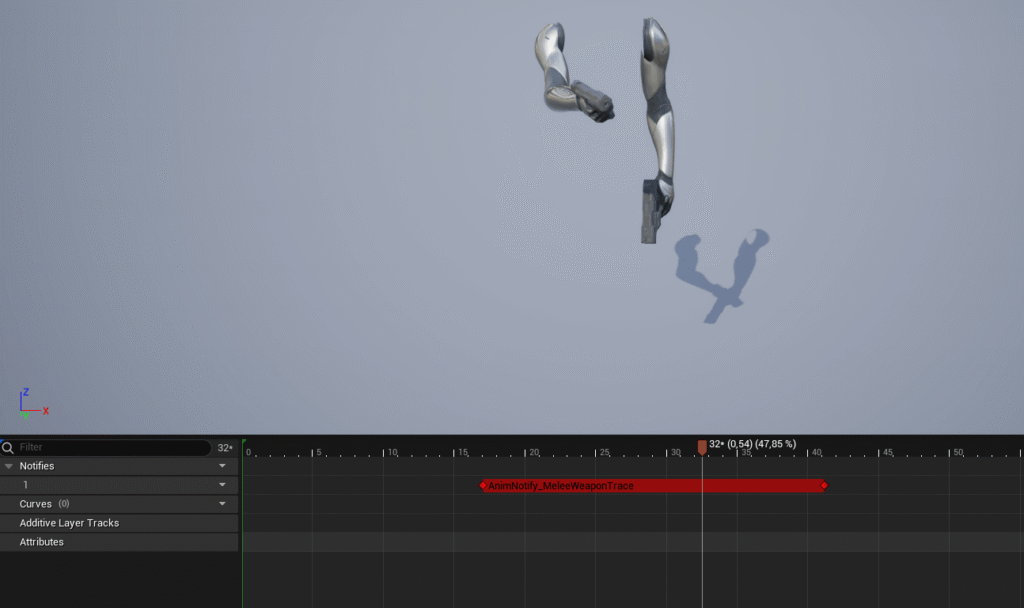
SLOT NAME #
If you’re using a character configuration that allows the character to hold a weapon in each hand, you must specify the name of the slot for each hand. This ensures that collision detection is triggered for the correct weapon.
FIND TYPE #
You can specify how the weapon is equipped on the character: via the Weapon Equipment Component, via a socket, or via a tag.


