
Weapon Rack lets you create and automatically align multiple Weapon Pickups. Weapon Rack features a weapon rack-style layout, and you can enable automatic generation of new weapons.
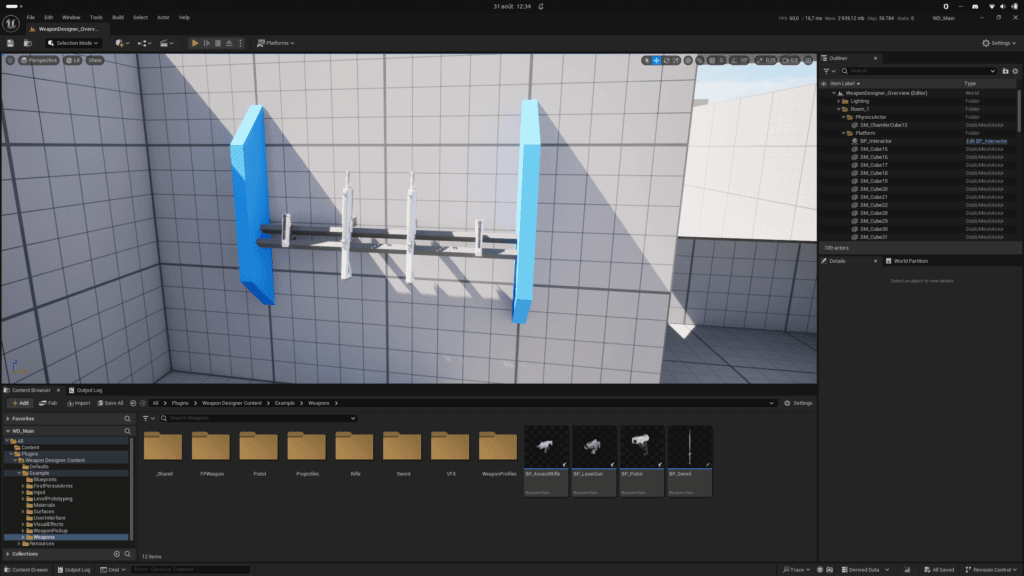
HOW TO CREATE? #
From the content browser, use the context menu (right-click) to select Weapon Rack from the Pickup sub-category in Weapon Designer category.
HOW TO CONFIGURE? #
- Select the weapon classes you want to appear in the rack.
- Adjust the various variables for the presentation (spacing between the weapons, starting offset, the rotation of each weapon, etc.)
- Set the generation type.
- Specify the pickup class you want to use.
HOW TO USE? #
- Place an instance in the world.
- If necessary, adjust the weapon classes that should be displayed on the rack.
- Your character’s blueprint must contain the Weapon Pickup Interactor component.
- Play!
WEAPON GENERATION #
The rack can spawn a new instance whenever you want—after a certain amount of time has passed or after the player has picked up a weapon.
PICKUP CLASS #
I’ll let you decide which weapon pickup class to use, but I recommend keeping the display type set to “Fixed.”


