
The Weapon Module is the base class used to add functionality and/or modify the behavior of a weapon. Weapons based on the Weapon class automatically support these modules. Weapon Designer includes several modules that cover most use cases, but you can create your own.
HOW TO CREATE MY OWN MODULE? #
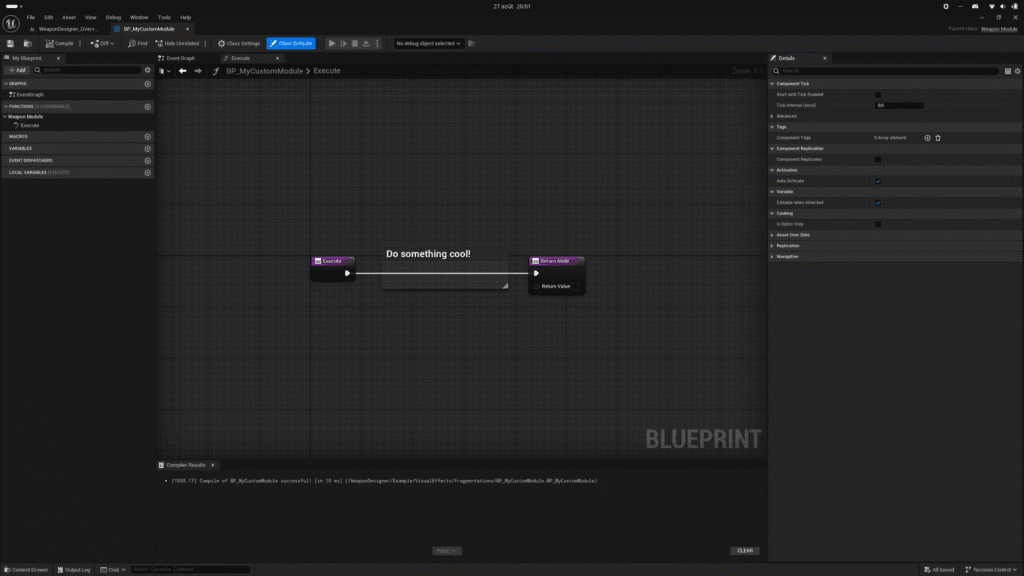
From the content browser, use the context menu (right-click) to select Weapon Module from the Weapon Designer category.
HOW TO CONFIGURE? #
- Override Execute function and make something cool! You must return if weapon is allowed to execute his action (fire, blade attack, etc.).
- Override Stop Execute function if needed.
HOW TO USE? #
- Add a module to a weapon whose class is a subclass of Weapon.
- Configure the module.
- And voila!
WEAPON RELOADING #
Adds reloading support for weapons with magazines. You can define the magazine’s properties and how it is reloaded. Optionally, you can add the reloading anim sequence that will play on the character and anim sequence that will play on weapon. You can respond to events such as OnReloadStarted, OnReloadStopped, OnReloadFinished, etc. Finally, functions can be called to modify the magazine’s properties in real time.
WEAPON ENERGY #
Weapon Energy is similar to Weapon Reload but is specific to energy weapons or weapons with time-based reloading (an energy gauge that gradually refills). This module allows you to finely control the discharge and recharge of energy.
WEAPON JAMMING #
Adds support for weapon jamming. When a conventional firearm is fired, its internal mechanism can jam and prevent further firing. This module simulates this jamming. You can, of course, control the delay before this event occurs. To clear the jam, a function must be called. The WeaponRanged class automatically clears the jam when reloading, but you can, of course, allow players to clear the jam manually using a dedicated key.
WEAPON RECOIL #
When a weapon fires, the recoil can vary in intensity. The character is affected by this force, which forces them to realign the weapon before firing again; otherwise, they will completely miss their target. This module simulates a weapon’s recoil. Warning! This module is still in the experimental stage.
WEAPON HEAT #
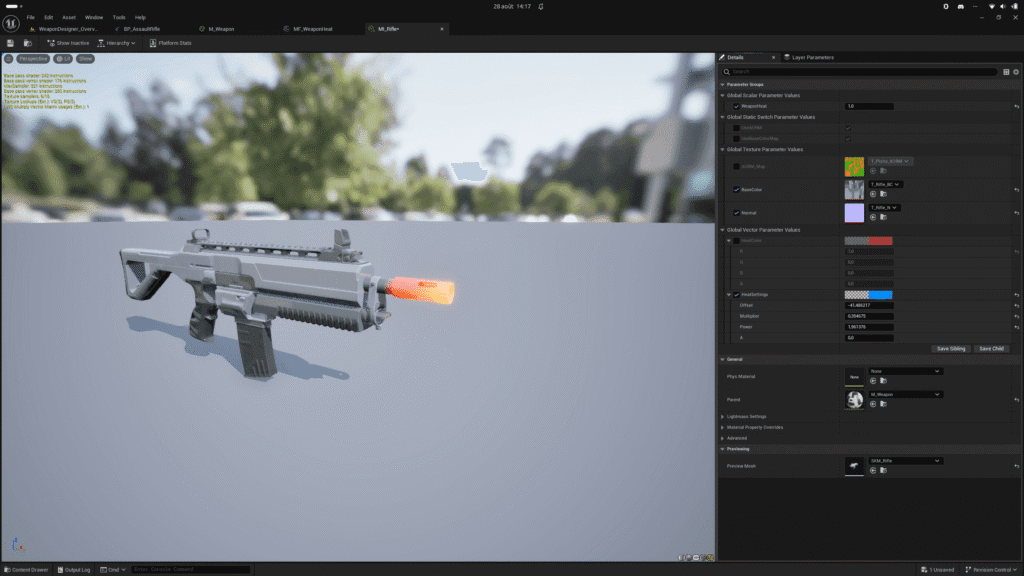
In a conventional firearm, when the rate of fire is high, friction between the projectile and the barrel can cause the barrel to overheat. This overheating leads to significant physical and mechanical changes that degrade performance and can even destroy the weapon. This module handles the visual and auditory aspects of a weapon’s overheating. Future updates will include support for adjusting the rate of fire, accuracy, and weapon degradation.
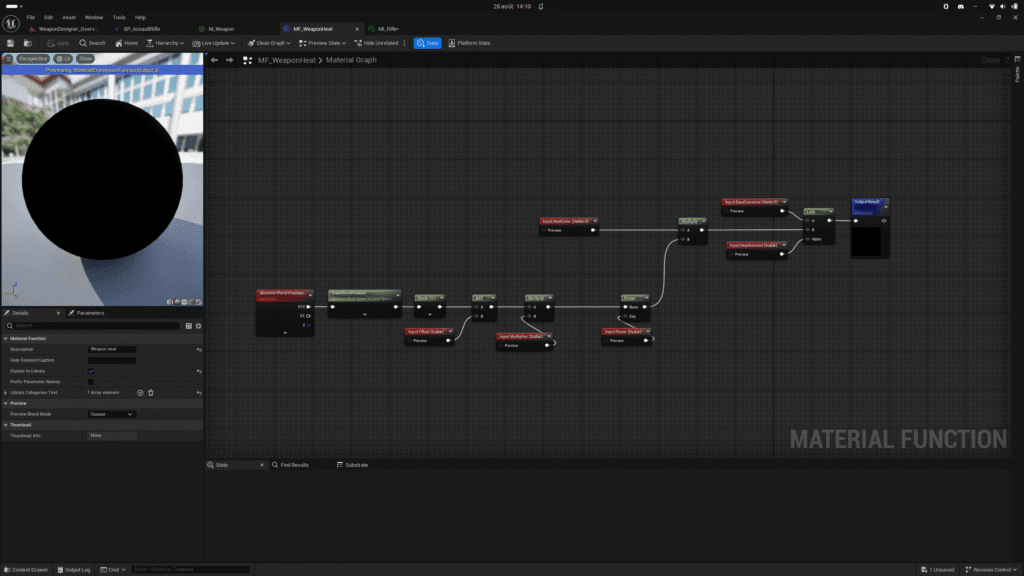
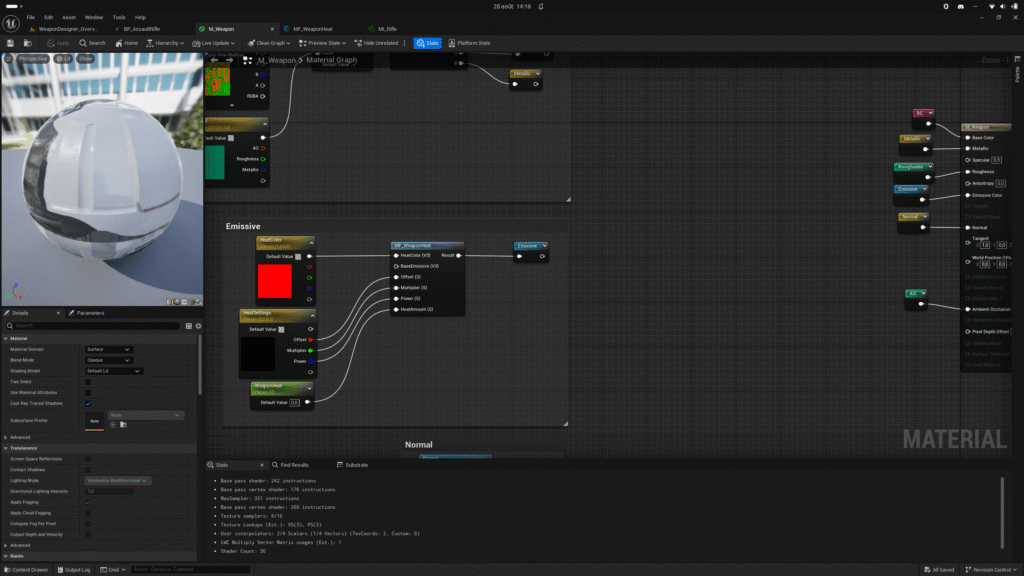
For the visual effect to apply to the weapon, you must have a material on the weapon that supports a float-type parameter indicating the intensity of the heat on a scale from 0 to 1. The plugin includes a Material Function (MF_WeaponHeat) to allow you to easily integrate this effect into your weapon materials. It is located in the plugin’s resource folder.
WEAPON DETERIORATION #
Adds a deterioration system to the equipped weapon. A weapon can deteriorate over time, because it was dropped on the ground, because it was fired numerous times, because it was overheated for too long, etc. There are many conditions that can cause a weapon to deteriorate. This module allows you to precisely control a weapon’s deterioration through several parameters. The visual appearance is adjusted using values that are applied to the weapon’s material. You can manually degrade the weapon at any time during gameplay.
MATERIAL SETUP #
It is entirely possible to combine modules on the same weapon, such as Weapon Heat and Weapon Deterioration. Unless you have a specific configuration regarding the weapon’s material, you should have only one material for the weapon’s body. Accessories will often have their own material, especially if they can be detached from the weapon. Modules that affect a weapon’s visual appearance via its material offer a feature that automatically creates a dynamic material instance. This feature is useful if you’re using only one module or if you have a specific configuration. If you have multiple modules that affect the weapon’s material, it’s best to disable the auto-creation feature and override the Get Materials function in the weapon. You’ll then be responsible for creating the dynamic material instance, and all modules will use the same instance. This allows you to apply effects such as wear and tear, dirt, overheating, etc., to the same material.


