
Weapon Melee is the base class for melee weapons such as swords, axes, and war hammers in Weapon Designer. It contains basic features like collision detection along blade, collision detection trigger mode and physics calculation. There are two child classes named Weapon Melee Static and Weapon Melee Skeletal.
The Weapon Melee Static class should be used for bladed weapons that are static (StaticMeshComponent). They do not need to be animated.
The Weapon Melee Skeletal class should be used for bladed weapons that are animated (SkeletalMeshComponent). This class adds functions and properties for animating the weapon.
CLASS MODULARITY #
Weapon classes are designed to be modular. The Weapon Melee class contains the functions essential to its operation. Some of these functions can be overridden to meet specific needs. Weapon Modules allow you to add to or modify the weapon’s behavior. Finally, the Weapon Damage type lets you modify the weapon’s damage. You can add or remove modules and change weapon damage type at any time to create the weapon you need for your game.
HOW TO CREATE? #
From the content browser, use the context menu (right-click) to select “Weapon Melee Static” or “Weapon Melee Skeletal” from the “Weapon Melee” sub-category in “Weapon Designer” category.
HOW TO CONFIGURE? #
- Select a mesh for your weapon. Skeletal Mesh in Weapon Melee Skeletal or Static Mesh in Weapon Melee Static.
- Add Weapon Damage Type. See the documentation on this class for a detailed explanation of the parameters.
- Select Trace shape type.
- Adjust Trace position.
- Select Trace trigger type.
- Adjust physics settings.
- Set character animation if necessary.
- Add weapon modules to customize weapon behavior. See the documentation of this component for a detailed explanation of the parameters.
- Override function if needed (Activate, Deactivate, On Start Hit Actor, On Hit Actor Progress, etc.).
WEAPON DAMAGE TYPE #
The Weapon Damage Type class contains all the data and functions needed to inflict damage and other effects on actors hit by the weapon.
TRACE POSITION #
For practical, performance, and quality reasons, it is not possible to detect collisions with characters using the physics engine (Collision Overlap). Weapon Designer uses a system of Line Trace, Box Trace, Sphere Trace, or Component Trace (Experimental) to detect collisions between the blade and the environment.
You must therefore specify the start and end points of the ray cast. You have two options for the start point: use the actor’s position or the position of the socket defined on the weapon’s mesh (this works for both static meshes and skeletal meshes). For the end point, you can define a socket or a distance from the start point.
TRACE TRIGGER #
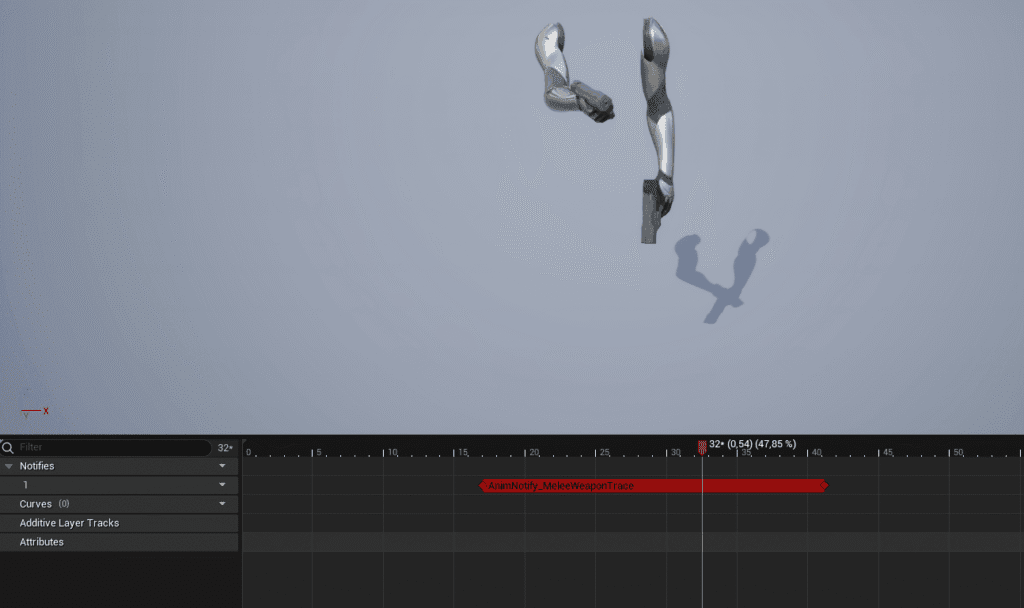
For practical and performance reasons, you can specify when collision detection is enabled. It is not recommended to keep collision detection running constantly. For example, when the weapon is holstered on the character’s back. You have several options: when the weapon is activated, when its velocity exceeds a certain value, or via an anim notify. For the latter option, you’ll need to add a “Melee Weapon Trace” Notify State to your animation sequence.
PHYSICS SETTINGS #
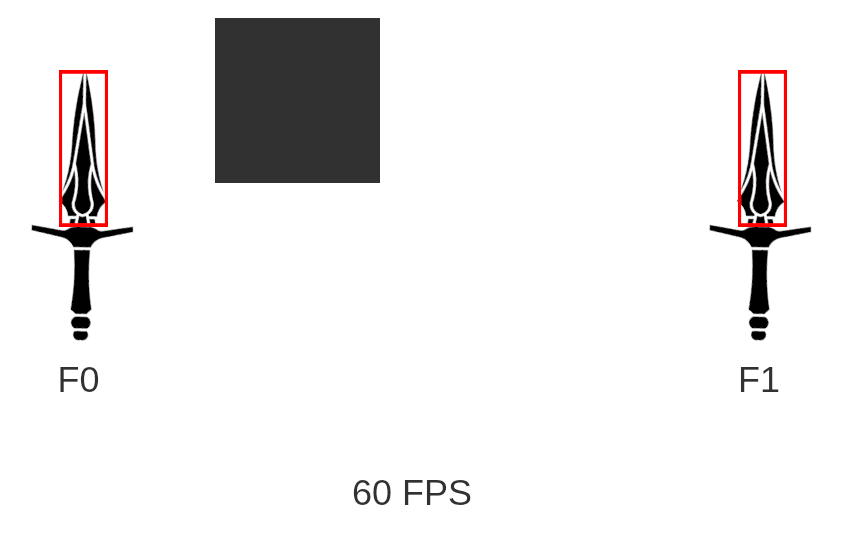
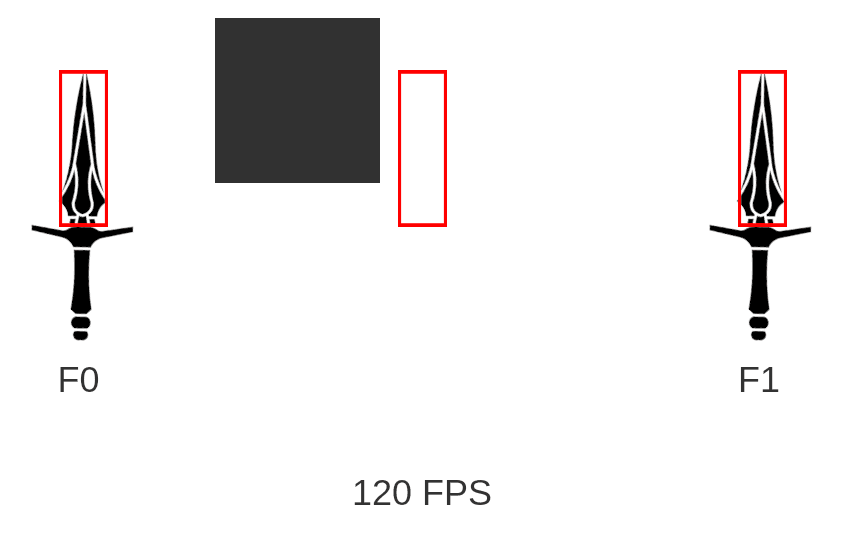
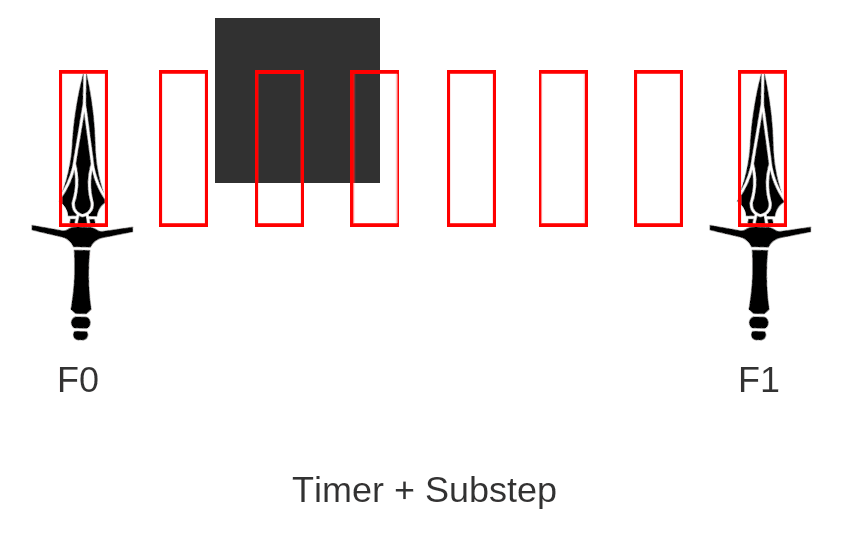
Collision detection on every frame does not yield good results, even if your game is optimized and runs at 120 FPS. If your weapon has a very fast animation, it may fail to detect collisions with objects in the game world. Collision detection is performed using a timer that is independent of the frame rate. You can enable the substep feature, which divides the timer into several stages to achieve much more reliable collision detection.
CHARACTER ANIMATION #
- Support Character Anim: If enabled, the character must register a function for the On Request To Play Anim event.
- Attack Anim: Animation played on character when the weapon fire.
- Character Right Arm Idle Anim: Animation played on character when it is idle with this weapon.
- Left Arm Idle Mirror: If enabled, the right arm idle animation is mirrored for left arm. (A Mirror Table Row for character should be created). Only used for individual arm animation or for left hand as primary hand.


